For a focused employee-side explanation, read Mouse Jiggler Safety: Security and Privacy Checks. Are mouse jigglers safe? Check download sources, permissions, hardware risks, unwanted input, and workplace rules before choosing a tool for your computer.
The Two Families
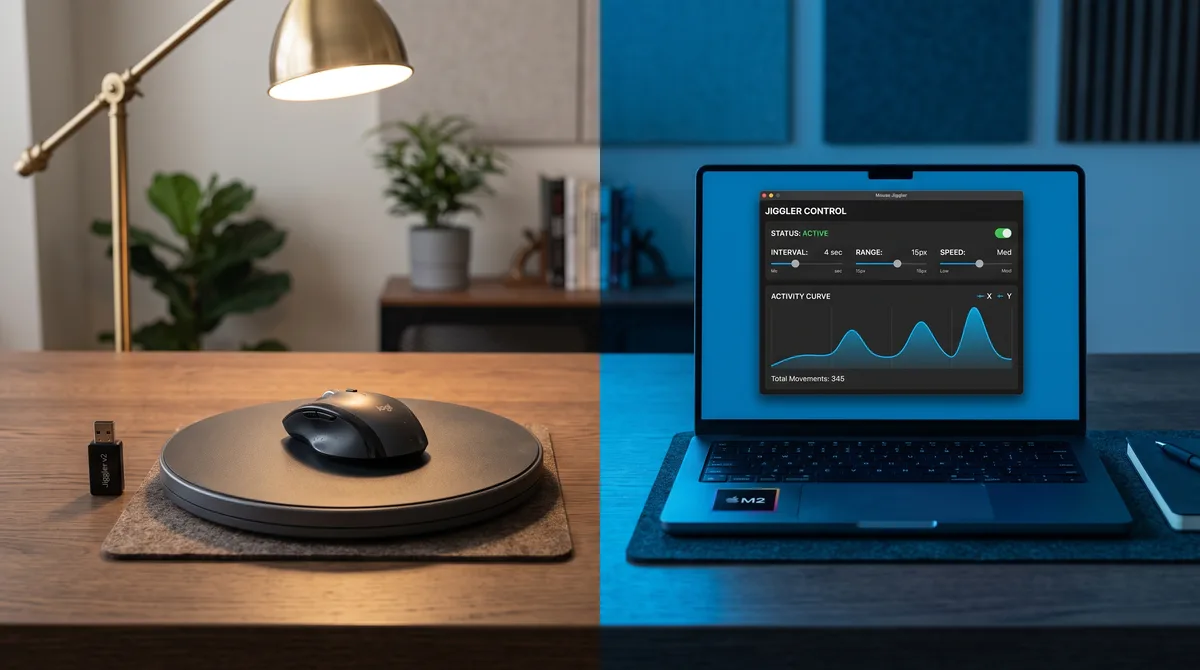
Every mouse jiggler falls into one of two camps. Hardware jigglers are physical objects: a USB dongle that pretends to be a mouse, or a mechanical pad that physically rocks your real mouse. Software jigglers are programs that generate input events directly from within your operating system.
Both keep your computer awake and your status active. But they differ sharply on price, setup, what they can do, and the trace they leave behind. If you want the underlying mechanics first, our guide on how mouse jigglers work covers both in detail. Here we put them side by side so you can pick the one that fits.
Why This Choice Matters More in 2026
A year ago this was mostly a convenience choice. USB dongle or software, both kept your screen on, and detection was limited to IT staff who happened to notice. That changed.
Five major monitoring tools now ship purpose-built jiggler detection. Insightful launched Activity Verification in June 2025, claiming a 99% jiggler detection rate. It keys on three signals: repetitive cursor geometry, mouse movement without corresponding keyboard input, and context-blind motion that doesn't interact with on-screen elements. Hubstaff's AI Insights add-on publishes its exact thresholds: 95%+ mouse activity sustained for 30 minutes, less than 4% fluctuation over 90 minutes, near-zero keyboard share over 50 minutes, and breakless sessions over 5 hours. Time Doctor's Unusual Activity Report flags the same patterns.
Every one of those detection signals is something a USB dongle or mechanical mover triggers by design: fixed cursor movement, zero keyboard activity, no variation. The hardware vs software choice now directly determines whether your monitoring dashboard flags you. That's the lens for everything below.
Types of Hardware Jigglers
There are two distinct kinds of hardware jiggler, and they work very differently under the hood.
USB Dongles
A USB dongle plugs into a port and presents itself to the operating system as a standard HID mouse. It sends preprogrammed cursor-movement commands on a fixed loop. The computer can't tell the difference between the dongle and a real mouse plugged into the same port.
The catch: the moment you plug it in, the operating system logs a new USB device. On Windows, that means an entry in the device registry under HKLM\SYSTEM\CurrentControlSet\Enum\USB that persists even after you unplug it. Endpoint-protection tools like CrowdStrike and SentinelOne can whitelist or blacklist USB devices by vendor and product ID, and a generic jiggler dongle with a vendor name like "Arduino" or "DigiSpark" stands out on a managed machine. Our full breakdown on USB jiggler detection covers exactly what IT can see.
Dongles typically cost $10 to $30 on Amazon and ship in a few days. They need no drivers and work on any OS.
Mechanical Mouse Movers
A mouse mover is a motorized platform you set your real mouse on. A small motor rotates or vibrates the surface so the optical sensor picks up genuine physical motion. Nothing plugs into the computer, nothing installs, and nothing logs.
The trade-off: the movement is mechanically repetitive. The cursor traces the same arc, at the same speed, every cycle. And the mover produces mouse movement but nothing else, so your keyboard and scroll activity stay at zero. That combination is exactly what Hubstaff Insights and Insightful's Activity Verification flag: sustained cursor movement with no keyboard input. Movers run $15 to $40 and are the most universal option since they work with literally any computer that has an optical mouse. For a deeper dive into how movers compare to USB dongles and software, see mouse mover vs mouse jiggler.
Types of Software Jigglers
Software jigglers span a wide range of sophistication. The type you choose decides how realistic the activity looks to a monitoring tool.
Basic Cursor Movers
Free utilities like Move Mouse and Mouse Jiggle shift the cursor a few pixels at a set interval. They do the job for sleep prevention and status-bar green dots. But they only move the cursor, they move it on a fixed timer, and they produce zero keyboard or scroll events. Against any monitoring tool that tracks input patterns, a basic cursor mover has the same behavioral tell as a USB dongle.
Multi-Signal Apps
A multi-signal app simulates mouse movement, keyboard input, scrolling, tab switching, and app switching. The Mouse Jiggler app is in this category. It randomizes distance, direction, speed, and timing so the input stream looks like a person working rather than a loop repeating. It can also watch for idle time and start automatically when you step away. This is the category that monitoring tools have the hardest time distinguishing from real work, and it's the core advantage software has over hardware. See the best mouse jiggler software guide for how specific apps compare.
Browser-Based Jigglers
A browser-based jiggler uses the Screen Wake Lock API to tell the operating system not to dim the display or sleep. No download, no installation, no process to manage. The limitation is that it doesn't simulate any input at all. It keeps the screen on, but your status in Teams, Slack, or any activity tracker still goes idle once the real input stops. A browser jiggler is best for preventing the screensaver during a long read or presentation, not for faking active work.
The Phone Trick (and Why It Fails)
There's a fourth option people try before reaching for hardware or software: putting a phone under the mouse with a video or animation playing. The screen's changing light makes the optical sensor register movement, so the computer thinks the mouse is active.
It works for sleep prevention. It fails at everything else. The motion is small, erratic, and visually obvious on screen. There's zero keyboard or scroll activity. The phone screen can bleed visible light through the mouse body, and the battery drains in a few hours. Against any monitoring tool that tracks input patterns, the phone trick has the same detection profile as a cheap USB dongle minus the reliability. It's a hack for preventing a screensaver timeout and nothing more.
Hardware: Pros and Cons
Strengths
- Works on locked-down machines. If IT blocks software installs and execution policies prevent running anything, a physical device can still do the job.
- OS-independent. A USB dongle doesn't care whether it's plugged into Windows, macOS, or Linux. Mechanical movers are even more universal.
- No software to run. Nothing consuming a process slot, nothing showing in Task Manager, nothing for application-monitoring tools to flag by process name.
- Mechanical movers leave no digital trail. A pad that rocks your real mouse plugs into no port and installs nothing, so there's zero digital footprint.
Weaknesses
- Upfront cost and wait. You buy a physical object, wait for delivery, and carry it around.
- USB dongles leave a device trail. The moment you plug in, the device is logged. That log persists even after you unplug, and endpoint tools can flag or block it.
- Fixed, repetitive movement. Most dongles repeat one motion pattern forever. That produces a robotic signature that stands out to anyone watching the screen and to monitoring tools that now ship jiggler detection.
- Movement only. No keyboard, no scrolling, no app switching. On a machine where monitoring tracks multiple input signals, a cursor that moves while everything else is dead is a red flag.
- No control. No scheduling, no idle detection, no intensity settings. It does one thing at one pace until you unplug it.
Software: Pros and Cons
Strengths
- No USB trail. Nothing is plugged in, so there's no device enumeration, no registry history, and nothing for device-control tools to block.
- Randomized, human-like movement. Good software varies distance, direction, speed, and timing instead of looping. No robotic signature.
- Multi-signal. Keyboard simulation, scrolling, app switching, and tab switching alongside mouse movement. Every input signal stays alive, not just the cursor.
- Idle detection and scheduling. The app starts when you step away and stops when you return. You control which activities run, how often, and during which hours.
- Free or low cost, instantly available. Nothing to ship. Download and run, or use a browser-based version for screen-awake with zero installation.
Weaknesses
- Needs to run on the machine. On a system where you truly cannot execute any program, software isn't an option.
- Quality varies. A cheap app that moves the cursor in a rigid loop has the same behavioral tell as a dumb dongle. The advantage only holds if the software actually randomizes and covers multiple signals.
- Platform-specific. A given app targets a given OS. The Mouse Jiggler app covers Windows today with Linux available and macOS on the way.
Side-by-Side Comparison
Here's the full picture in one table. The differences that matter most are in detection footprint and capability range.
| Feature | USB Dongle | Mechanical Mover | Software (Multi-Signal) |
|---|---|---|---|
| Setup | Plug in | Place mouse on pad | Download and run |
| Typical cost | $10-30 one-time | $15-40 one-time | $0-15/month |
| USB device trail | Yes (logged) | None | None |
| Movement randomization | Fixed pattern | Fixed pattern | Randomized |
| Keyboard simulation | No | No | Yes |
| Scrolling | No | No | Yes |
| App/tab switching | No | No | Yes |
| Idle detection | No | No | Yes |
| Scheduling | No | No | Yes |
| Works when software blocked | Yes | Yes | No |
| OS support | Any | Any | Windows, Linux |
Detection: What IT Actually Sees
Detection is the deciding factor for most people reading this. The difference between hardware and software isn't abstract; it determines what shows up in your employer's monitoring dashboard. Here's the concrete breakdown. For the full landscape of every detection method, see how to detect mouse jigglers.
USB Dongle: What Gets Logged
- Device enumeration. Windows logs the vendor ID, product ID, and serial number of every USB device that connects. A generic jiggler dongle shows up as an unfamiliar HID device. That entry stays in the registry permanently.
- Endpoint protection. Tools like CrowdStrike, SentinelOne, and Microsoft Defender for Endpoint maintain USB device inventories. An unknown device triggers an alert or gets blocked outright.
- Movement pattern. Fixed, repetitive cursor motion with zero keyboard or scroll events is exactly the signature that Hubstaff Insights, Insightful Activity Verification, and Time Doctor's Unusual Activity Report are trained to catch.
Mechanical Mover: No Trace, But a Tell
- No digital footprint. Nothing plugs in, nothing logs. There's no USB history, no process, and no registry entry.
- Behavioral pattern gives it away. The cursor traces the same mechanical arc at the same speed every cycle, and your keyboard and scroll lines sit at zero. A person watching the screen will see it immediately, and monitoring tools that compare mouse activity to keyboard activity will flag the imbalance. Can your employer detect a mouse jiggler? covers the three signals that get people caught.
Software (Multi-Signal): The Smallest Footprint
- No USB enumeration. Nothing is plugged in, so there's nothing in the device registry and nothing for endpoint tools to flag.
- Process visibility. The application does appear in Task Manager alongside hundreds of other processes. Some apps use inconspicuous process names; the Mouse Jiggler app is a portable .exe that doesn't install to system folders.
- The deciding factor is randomization. If the software randomizes mouse movement, generates keyboard events, scrolls, and switches apps on varying intervals, the monitoring tool sees a stream of input that looks like a person working. That's the gap between a basic cursor mover and a multi-signal app, and it's the reason software is generally harder to detect than USB hardware.
The Screenshot Problem
Screenshots are the detection method no jiggler type fully beats, and they're the one most people forget about. Hubstaff takes them up to every 30 seconds. Insightful takes triggered screenshots when activity patterns shift. Time Doctor takes them at random intervals. These screenshots land in a dashboard your manager can review at any time.
With a hardware jiggler or basic cursor mover, every screenshot shows the same idle screen. The same document, the same browser tab, the same desktop. Hours of screenshots that all look identical is as damning as the jiggler itself, and no amount of cursor movement fixes it.
With a multi-signal software jiggler that switches apps and tabs, each screenshot at least shows a different foreground window. That's not a guarantee of safety, but it's the difference between a dashboard that screams "unattended machine" and one that looks like someone moving between tasks. This is another layer where hardware simply can't compete.
Cost Over 12 Months
Hardware's upfront price is lower. But cost per month isn't the real comparison. What matters is cost relative to what you get.
| Type | Month 1 | 6 Months | 12 Months | Capability |
|---|---|---|---|---|
| USB dongle | $15 | $15 | $15 | Mouse only |
| Mechanical mover | $25 | $25 | $25 | Mouse only |
| Free software | $0 | $0 | $0 | Mouse only |
| Multi-signal software | $7-15 | $42-90 | $84-180 | Mouse + keyboard + scroll + app switching |
Free tools like Move Mouse, Mouse Jiggle, and the online jiggler cost nothing and cover sleep prevention. A cheap USB dongle does the same. If that's all you need, any of those works.
If you need realistic activity that holds up against Hubstaff, Insightful, or Time Doctor, multi-signal software is the only option at any price. Hardware can't produce keyboard or scroll events. A $15 dongle and a $180/year app aren't competing on the same problem. The Mouse Jiggler app starts at $7/month with a free 7-day trial. See benefits of using a mouse jiggler for the full range of what the right tool unlocks.
Which Should You Choose?
Match the tool to your actual situation. The right answer depends on two things: whether your machine lets you run software, and whether someone is actively monitoring your activity.
Scenario 1: Just preventing sleep or screensaver
You're reading a long document, watching a training video, or running an overnight download. Nobody is tracking your activity. A browser jiggler or free cursor mover does this without spending anything. No installation needed for the browser version. A USB dongle also works, but buying hardware for sleep prevention is overkill.
Scenario 2: Keeping your status green on Teams or Slack
Microsoft Teams marks you "Away" after 5 minutes of no input. Slack does it after 10. A multi-signal app is the reliable choice here because some status indicators track keyboard activity, not just cursor movement. A USB dongle moves the cursor but Teams may still flip you to away if there's no keyboard event within its timeout window.
Scenario 3: Fully locked-down corporate laptop
Execution policies block all unsigned programs. IT manages the app whitelist. If you truly cannot run any program, a USB dongle or mechanical pad is your only option. A dongle is smaller, cheaper, and fits in your pocket. A mover avoids the USB trail but takes up desk space and is harder to hide. Be aware that endpoint-protection tools on managed laptops (CrowdStrike, SentinelOne, Microsoft Defender for Endpoint) can flag or block unauthorized USB devices the moment you plug in.
Scenario 4: Monitored by activity tracking software
This is where the choice matters most. Multi-signal software with randomization is the only viable option. A USB dongle or mover will get flagged by any monitoring tool that analyzes input patterns, and in 2026 that includes most of them. Can your employer detect a mouse jiggler? covers the specifics by monitoring tier, and the dedicated pages on Insightful detection and Hubstaff detection cover the two most aggressive tools.
Scenario 5: Running two remote jobs
You need one machine to stay active while you work on the other. This requires software with idle detection and scheduling so the jiggler activates automatically when you switch to the other job and stops when you return. A USB dongle can't do this. It runs the same loop whether you're at the machine or not, which means it's either always on (burning activity when you don't need it) or you're manually plugging and unplugging throughout the day. See mouse jigglers for overemployment for the complete setup.
Scenario 6: Personal machine, no monitoring
You own the computer and nobody tracks your activity, but you don't want it to sleep while you're in the kitchen. Any option works. A free cursor mover or browser jiggler is the simplest. There's no reason to buy hardware or pay for software in this scenario.
For most people reading this on a machine they can run software on, a multi-signal app like Mouse Jiggler is the better tool. Hardware earns its place only when software is genuinely off the table.
Frequently Asked Questions
Is a hardware or software mouse jiggler better?
For most situations, software is better. It's cheaper over time, produces more realistic randomized movement, can simulate keyboard, scrolling, and app switching alongside cursor movement, and leaves no USB device trail. Hardware's one decisive advantage is that it works on machines where you can't install or run any software at all. If you can run a program on your computer, software is almost always the stronger choice; if the machine is fully locked down, hardware is your fallback.
Do hardware mouse jigglers work on any computer?
USB hardware jigglers are broadly compatible because the computer sees them as a standard mouse, which every operating system supports without drivers. Plug into Windows, macOS, or Linux and it works. Mechanical mouse movers are even more universal since they physically move a real mouse and don't interact with the computer at all. This cross-platform, no-install nature is hardware's main appeal, though it comes with a logged USB footprint and movement-only capability.
Are software mouse jigglers safe to install?
Reputable ones are, but you should download from the official source and stick to known products, since a jiggler runs with your user permissions. The Mouse Jiggler app is a portable single .exe that doesn't install into system folders, doesn't modify the registry, and doesn't require admin rights, so it's easy to run and easy to remove. As with any software, avoid random cracked or repackaged versions from unofficial sites.
Which type is harder for employers to detect?
Software is generally harder to detect because it plugs nothing in: no USB enumeration event, no device history, nothing for device-control tools to flag. Good software also randomizes its activity to look human. USB hardware creates a logged device trail that persists even after you unplug it. The exception is a mechanical mouse-mover pad, which leaves no digital trace at all but produces an obvious repetitive on-screen cursor pattern that monitoring tools flag instantly.
Can I use both a hardware and software jiggler together?
You can, but there's rarely a reason to. A good software jiggler already covers everything hardware does and more, so stacking them adds no benefit and doubles your footprint. You'd get both the USB device trail and the running application. The one scenario where hardware makes sense is a machine that blocks software entirely, and in that case software isn't available to pair with anyway. Pick the one that fits your constraints rather than running both.
How much does a mouse jiggler cost?
USB dongles run $10 to $30 as a one-time purchase. Mechanical mouse-mover pads cost $15 to $40. Software ranges from free (basic cursor movers and browser-based tools) to $7 to $15 per month for full multi-signal apps with keyboard simulation, scrolling, idle detection, and scheduling. Over a year a $15 dongle is cheapest in raw dollars, but it only moves the cursor. If you need realistic multi-signal activity, software is the only option at any price.
Can a mouse jiggler simulate keyboard input?
Hardware jigglers cannot. USB dongles and mechanical movers only produce mouse movement. Software jigglers vary: basic ones move the cursor only, but multi-signal apps like Mouse Jiggler simulate keystrokes, scrolling, tab switching, and app switching alongside mouse movement. If your monitoring tool tracks keyboard activity (and most do), a mouse-only jiggler leaves a flat keyboard line that stands out.
What is the difference between a mouse mover and a mouse jiggler?
A mouse mover is usually a mechanical platform, a spinning disk or vibrating pad, that physically moves your real mouse so the optical sensor picks up motion. A mouse jiggler is the broader category that includes both hardware devices (USB dongles and movers) and software. Software jigglers generate input events inside the operating system rather than physically moving anything. In everyday usage, "mouse mover" often means the physical pad while "mouse jiggler" can mean either type.
Will a mouse jiggler fool Insightful or Hubstaff?
It depends on the type. A USB dongle or mechanical mover will almost certainly get caught. Insightful's Activity Verification (launched June 2025) specifically targets repetitive cursor patterns and mouse-without-keyboard activity, and Hubstaff's AI Insights flags 95%+ sustained mouse activity with near-zero keyboard input. A multi-signal software jiggler that randomizes movement and generates keyboard, scroll, and app-switching events avoids the specific patterns these tools look for, though no jiggler can simulate actual work output. See the full breakdown for Insightful and Hubstaff.
Do I need admin rights to use a software mouse jiggler?
No. The Mouse Jiggler app is a portable .exe that runs with standard user permissions. It doesn't install into system folders, doesn't modify the registry, and doesn't need elevated privileges. You can run it from your Downloads folder, a USB drive, or anywhere else your user account has access. The only situation where this matters is a managed machine with strict execution policies that block all unsigned programs, and in that case, a hardware jiggler is the fallback.
Can IT see a mouse jiggler in Task Manager?
A software jiggler does appear as a process in Task Manager alongside hundreds of other running processes. Whether IT notices it depends on whether they're actively auditing your process list, which most monitoring tools don't do automatically. USB dongles and mechanical movers don't show in Task Manager since they aren't running software. However, USB dongles show up in Device Manager and in the USB device registry, which endpoint-protection tools do audit automatically. The trade-off is process visibility (software) versus device-log visibility (USB hardware).
Conclusion
Hardware and software jigglers solve the same problem from opposite directions. Hardware wins on exactly one point: it works when you can't run any software at all. It pays for that with a logged USB trail, fixed movement patterns, movement-only capability, and an increasingly poor track record against monitoring tools that now actively hunt for those patterns.
Software wins on cost, realism, capability, and leaving no device evidence, as long as you can run a program on the machine. In 2026, with Insightful, Hubstaff, and Time Doctor all shipping purpose-built jiggler detection that specifically targets hardware's weaknesses, the gap between the two is wider than it's ever been.
For most people, that makes software the better tool and hardware the fallback for locked-down machines. If you're weighing detection risk specifically, how to detect mouse jigglers covers every detection method from the user's perspective, and can your employer detect a mouse jiggler? walks through the four monitoring tiers. Compare specific apps in the best mouse jiggler software roundup, or start a free 7-day trial and see the software advantage firsthand.
Get the Software Advantage
Randomized movement, keyboard, scrolling, app switching, and idle detection. Everything hardware can't do, in a portable app that leaves no USB trace. Free for 7 days.
Download for Windows

