For a focused employee-side explanation, see our keyboard jiggler guide: Keyboard input versus mouse movement, unintended shortcuts, Teams status, and safer options when you only need to prevent sleep.
For a focused employee-side explanation, read Mouse Jiggler vs Auto Clicker: Which Action Do You Need?. Compare mouse jigglers and auto clickers by the input they send, the mistakes they can cause, and safer choices for keeping a screen awake or repeating a task.
What Is a Mouse Jiggler?
A mouse jiggler is a device or application that simulates mouse movement so your computer registers activity even when you are not touching it. As far as the operating system can tell, someone is at the keyboard, so the screen stays on, the session stays unlocked, and your status in apps like Teams or Slack stays green.
The term is mainstream enough now that it entered the Cambridge Dictionary in 2025, defined as a device or piece of software used to make it look like someone is working when they are not. That definition captures the reputation, but it undersells the everyday uses: keeping a laptop awake during a long download, holding your status green while you are on a call, or stopping a locked-down work machine from sleeping every few minutes.
The name is literal. The tool "jiggles" the mouse cursor, nudging it just enough to reset the computer's idle timer. You will also see it called a mouse mover or a mouse wiggler, and the practice of using one to look busy has its own nickname: productivity theater. They all point at the same idea.
Underneath that name sit two very different builds. A hardware jiggler is a physical gadget, usually a small USB dongle, that plugs in and pretends to be a mouse. A software jiggler is a program that generates input events directly. Both produce the same basic result, but they get there in different ways and leave very different footprints, which matters more than most people realize. Mouse jigglers started as a niche IT tool (technicians used them to keep machines awake during long installs) and went mainstream with remote work, once employers began measuring presence by keyboard and mouse activity.
Mouse Jiggler Terms, Explained
The space has collected a lot of overlapping names and modes, and the words get used loosely. Here is what each one actually means.
- Mouse jiggler
- The umbrella term for any tool, hardware or software, that fakes input to keep a computer active. "Mouse jiggling" just means running one.
- Mouse mover / mouse wiggler
- Interchangeable synonyms for mouse jiggler. "Mover" often refers to the mechanical pad type, but people use all three names for everything.
- Jiggler mode
- A built-in setting on some wireless and gaming mice that makes the mouse move its own cursor on a timer, usually toggled with a button combination. More on this below.
- Zen mode (virtual jiggle)
- A software mode where the app tells the system the pointer is moving, but the cursor does not visibly move on screen. Popularized by the open-source Mouse Jiggler project. Handy when a drifting cursor would get in your way.
- Auto clicker
- A related but different tool that fires mouse clicks rather than movement, usually to automate repetitive clicking. Many software jigglers, including ours, can do both.
- Productivity theater
- The wider practice of looking busy for monitoring tools rather than being measured on actual output. A jiggler is one prop in it.
Types of Mouse Jigglers
Strip away the branding and there are four forms, split across hardware and software. They differ in what you plug in, how smart the movement is, and what trace they leave behind.
| Type | What it is | Plugs in? | Best for |
|---|---|---|---|
| USB dongle | A stick that reports itself as a mouse and nudges the cursor on a timer | Yes, USB | Machines where you cannot install software |
| Mechanical mouse mover | A pad or cradle that physically slides your real mouse | No | Avoiding any USB record, if you can accept a visible cursor |
| Software jiggler | An app that generates input events directly, often with randomized patterns | No | Realistic activity and multi-signal coverage |
| Phone-under-mouse trick | A looping video played on a phone screen placed under an optical mouse | No | A free improvised fix, though clumsy and unreliable |
The first two are hardware, the last two are software or software-adjacent. The phone-under-the-mouse method is real and occasionally clever, but it ties up a phone and stops the moment the screen dims. For anything you will run daily, the meaningful choice is a USB dongle versus a software app, which is exactly the hardware vs software decision.
What Is a Mouse Jiggler Used For?
The purpose is simple: keep the computer believing you are present. The reasons for wanting that are more varied, and more legitimate, than the stereotype of someone faking a workday. The most common ones we hear:
- Preventing sleep and lock screens. Many corporate laptops are locked down so you cannot change power settings. A jiggler stops the machine from sleeping mid-download, mid-presentation, or mid-build without touching IT policy.
- Staying "Available" in status apps. Microsoft Teams flips you to Away after roughly five minutes without input, and Slack does it after ten. If you are reading a document, on a phone call, or working on a second monitor, that Away label misrepresents you.
- Keeping activity trackers consistent. Time trackers and monitoring tools count mouse and keyboard events. Step away to think through a problem and your "activity score" quietly drops, even though you are working.
- Long-running tasks. Renders, exports, backups, and updates that pause or fail when the machine locks. A jiggler keeps them running unattended.
- Availability windows. On-call staff and support teams who must appear reachable without hovering over the keyboard for an entire shift.
One honest caveat before we go further. A jiggler keeps your machine awake and your status active. It does not do your work, and where an employer measures real output rather than raw activity, no amount of jiggling substitutes for the work itself. Used for what it is good at, though, it removes a real daily annoyance. Whatever your reason, the mechanism underneath is the same, so let's look at how each type does its job.
How Mouse Jigglers Work
Hardware Jigglers
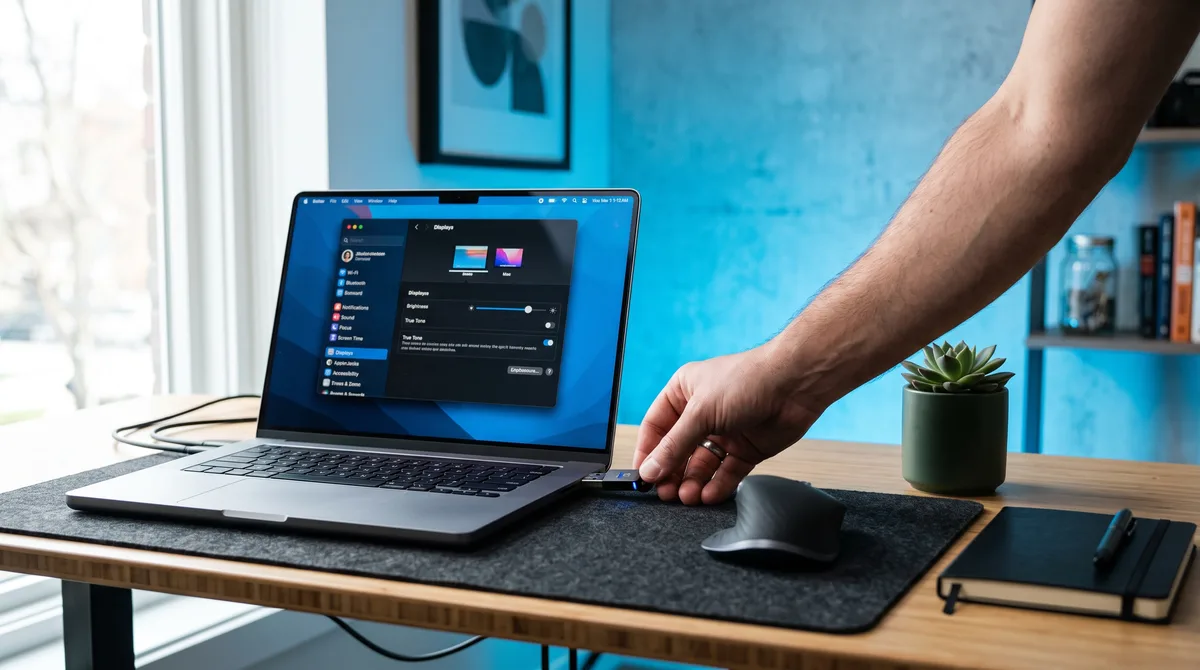
A USB hardware jiggler identifies itself to your computer as a generic mouse, the same device class as any real mouse. Once connected, it sends a steady trickle of movement signals, typically nudging the cursor a pixel or two at set intervals. Because the signals arrive through the same channel as a physical mouse, the operating system treats them as genuine input. No drivers, no installation. Plug it in and it starts.
There is also a second, invisible-to-the-computer style of hardware: mechanical mouse movers. These are small turntables or rocking cradles you place your actual mouse on top of. The pad physically moves the mouse, the mouse reports real motion, and the computer is entirely out of the loop. Nothing is plugged in, so nothing shows up in a device inventory. The catch is that the cursor sliding side to side in a metronome rhythm is its own giveaway to anyone watching the screen.
The strength of hardware is simplicity. The weakness is that it is dumb by design. Most dongles repeat the same small movement forever, and the USB variety announces itself in device logs. We cover both problems in detail in Can USB Mouse Jigglers Be Detected?
Software Jigglers
A software jiggler skips the hardware pretense and creates input events at the operating-system level, the same mechanism assistive technologies and automation tools use. The OS processes these events exactly like real ones: the idle timer resets, the cursor moves, and every application on the machine sees normal user activity.
Because it is software, it can be far more sophisticated than a dongle nudging a cursor:
- Randomized movement: varying paths, speeds, and distances instead of a repeated tick-tock pattern
- More than movement: clicks, keyboard input, scrolling, and switching between windows and browser tabs
- Scheduling and intelligence: starting automatically when you go idle and stopping the instant you return
- Fine control: you decide which activities run and how often, down to events per minute
Our own Mouse Jiggler app takes this approach. It simulates natural mouse movement, clicking, typing, scrolling, and app switching in randomized human-like patterns. Every feature is documented in plain language in the documentation, and the app itself is a portable single .exe, so there is nothing to install and no admin rights needed.
What Your Computer Actually Sees
Everything a jiggler "fixes" traces back to one number: the time since the last input event. Your operating system keeps a running idle timer, and everything from the screen saver to Teams presence is a countdown against it.
When input arrives, real or simulated, that timer resets, and with it:
- The display timeout never fires, so the screen stays on
- The sleep timer never completes, so the machine stays awake
- The lock screen never engages, so your session stays open
- Presence apps keep reporting you as active, so your status dot stays green
- Time trackers record the input as activity, so no idle gap appears in your reports
This is why a jiggler needs no integration with any specific app. It operates one level below all of them. Anything that watches for user activity is watching the same stream of input events the jiggler feeds. That single-timer design is also why the "virtual" jiggle works: the system only needs to see the event, so a well-built jiggler can reset the timer without dragging your cursor across the screen at all.
What "Jiggler Mode" Means on a Mouse
If you searched for "jiggler mode on a mouse," you probably ran into a setting on a physical mouse rather than a separate tool. A growing number of wireless and gaming mice ship with a built-in jiggler mode: a feature that makes the mouse move its own cursor on a timer so the computer never goes idle. It usually toggles with a button combination, often pressing and holding the DPI button for a few seconds, and it runs off the mouse's own firmware with no software involved.
It's the same idea as a USB dongle, just baked into a mouse you already use. That makes it convenient, but it inherits the same limits: the movement is a fixed repeating pattern, and it only covers cursor motion, not keyboard, scrolling, or app activity. On the software side, the term you'll see is Zen mode (or "virtual" jiggle), where the app convinces the system the pointer moved without the cursor visibly twitching. Different mechanism, same goal, and much easier to live with when you're actually using the machine.
Is Simple Jiggling Enough in 2026?
For sleep prevention and status dots, yes, any jiggler will do. But if the reason you are here is employee monitoring software, the bar has moved. Modern trackers do not just ask "did the mouse move?" They measure keyboard activity separately from mouse activity, log which application is in focus, and some flag input that arrives in perfectly regular patterns.
A dongle that slides the cursor one pixel left and right every three seconds produces a signature that looks nothing like a human being: hours of identical mouse-only activity with zero keystrokes, zero scrolling, and one unchanging foreground window. We break down exactly where basic jigglers succeed and fail in Do Mouse Jigglers Work?
The short version is that the more signals a tracker measures, the more of those signals your jiggler needs to cover. That is the argument for multi-signal software. Randomized mouse movement, keyboard simulation, scrolling, and tab and app switching working together look like a person. A twitching cursor does not.
Choosing the Right Jiggler
The right choice depends on what you are solving:
- Just need the screen to stay awake right now? Use our free online mouse jiggler. It runs in your browser with nothing to install and keeps your display awake with one click.
- Locked-down machine where you cannot run anything? A hardware jiggler is your only real option. Accept the USB footprint or use a mechanical mover.
- Facing activity tracking or monitoring software? Multi-signal software is the only approach that covers keyboard, scrolling, and app-focus signals as well as movement.
We compare the two families in depth (cost, setup, detection profile, capabilities) in Hardware vs Software Mouse Jigglers. When you are ready to test one, the step-by-step mouse jiggler setup guide covers every type and the safety checks that belong before a work-device test.
Frequently Asked Questions
What does a mouse jiggler do?
It generates small, regular input (mouse movement, and sometimes clicks or keystrokes) so your computer keeps resetting its idle timer. That single effect prevents the screen from sleeping, stops the session from locking, keeps your Teams or Slack status green, and keeps activity trackers from logging an idle gap. It does not create real work or output. It only keeps the machine registering that someone is present.
Why do people use mouse jigglers?
The usual reasons are practical: stopping a locked-down work laptop from sleeping mid-task, staying "Available" while reading or on a call, keeping a long download or render alive, or holding an activity score steady during focused work that involves little clicking. Some people do use them to fake presence, which is the reputation the tool carries, but the everyday uses are mostly about fixing annoyances that come from presence being measured by raw input rather than actual output.
Is a mouse jiggler the same as a mouse mover?
Yes. Mouse jiggler, mouse mover, and mouse wiggler all describe the same thing: a device or app that generates cursor movement so your computer registers activity. The terms are used interchangeably. An auto clicker is slightly different, firing mouse clicks rather than movement, usually to automate repetitive clicking in games or forms. Many software jigglers, including the Mouse Jiggler app, can do both.
What is jiggler mode on a mouse?
Jiggler mode is a feature built into some wireless and gaming mice that makes the mouse move its own cursor on a timer, keeping the computer awake with no separate software. It usually toggles with a button combination, often holding the DPI button for a few seconds. It works like a USB dongle baked into the mouse, so it shares the same limits: fixed, repeating movement and cursor motion only, with no keyboard, scrolling, or app activity.
Will a mouse jiggler stop my computer from sleeping or locking?
Yes. Sleep timers, screen savers, and automatic lock screens all count down from the last input event. Because a jiggler generates fresh input on a regular basis, those countdowns keep resetting and the machine never reaches its sleep or lock threshold. This works even when IT policies prevent you from changing power settings yourself, which is one of the most common reasons people use a jiggler in the first place. If you only need to keep the screen awake occasionally, a browser-based tool like our free online mouse jiggler can do it without installing anything.
Do I need administrator rights to use a mouse jiggler?
Usually not. A hardware jiggler is treated like an ordinary mouse the moment you plug it in, so no installation or elevated permissions are involved. Software varies by product: some jigglers ship as installers that may request admin approval, while portable apps run as a normal user process. The Mouse Jiggler desktop app is a single portable .exe, with no installer, no registry changes, and no admin rights required.
Can I use a mouse jiggler on a work laptop?
Technically yes, but check your company's policies first. Some organizations restrict unapproved USB devices, which affects hardware jigglers specifically, and USB device logs are also the main way hardware jigglers get noticed. Software jigglers avoid the USB question entirely because they run as a regular application. Whatever you choose, a jiggler works best for covering short breaks and preventing lockouts, not for pretending to work a shift you didn't work.
Does a mouse jiggler keep my Teams or Slack status green?
Yes. Microsoft Teams, Slack, and similar apps set your presence to Away after a few minutes without keyboard or mouse input, Teams after about five minutes and Slack after ten. A jiggler's simulated input counts as real activity to the operating system, so your status stays Available while it runs. This is one of the most common uses for a jiggler among remote workers who are at their desk but reading, on a call, or working on a second device.
Conclusion
A mouse jiggler is a simple idea: keep the input stream alive so the computer never thinks you left, built either as a plug-in gadget or as software. Hardware wins on plug-and-play simplicity. Software wins on realism, flexibility, and leaving no USB trace. In 2026, with monitoring tools measuring far more than cursor motion, that realism is usually the deciding factor.
If you want the full picture before choosing, read our hardware vs software comparison next, or the honest take in Do Mouse Jigglers Work? And if you want to try the software approach right now, the Mouse Jiggler app comes with a free 7-day trial of every feature.
Keep Your Computer Active the Natural Way
Mouse Jiggler simulates mouse movement, clicks, typing, scrolling, and app switching in randomized human-like patterns. Portable single .exe for Windows, free for 7 days.
Download for Windows

