The Short Answer
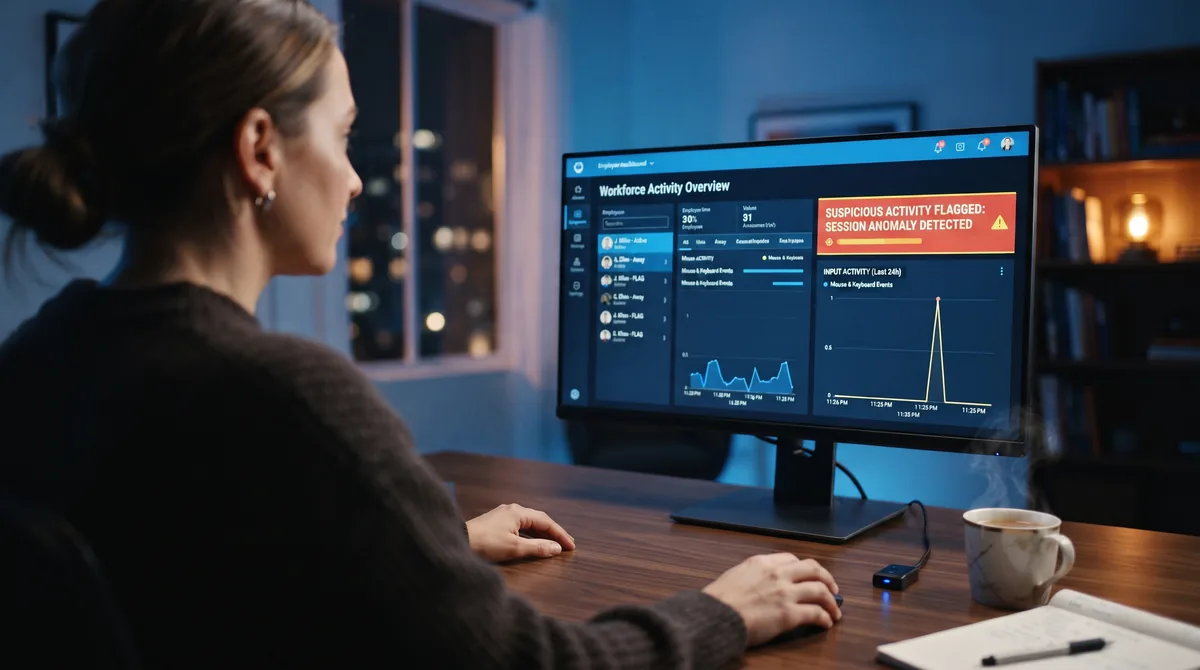
Can Insightful detect a mouse jiggler? More than most trackers can, yes. Insightful is one of the very few monitoring tools that sells a feature built specifically for this. In June 2025 it launched Activity Verification, which it describes as telling authentic keyboard and mouse input apart from simulated input in real time, at a claimed 99% accuracy. So unlike a basic idle-timer, where a jiggler simply works, Insightful is actively looking for you.
But "looking for you" is not the same as "will always catch you," and the detail matters. Activity Verification keys on three specific tells that cheap jigglers give off: perfectly repetitive movement, a moving cursor with no keyboard input beside it, and movement that never changes with the app on screen. A fixed-interval, mouse-only jiggler trips all three. A tool that randomizes its movement and also generates keyboard, scrolling, and app activity leaves far less to flag. And when the feature does fire, it flags the session for a human to review, rather than firing you automatically. This guide breaks down exactly how Insightful tracks, what Activity Verification really keys on, whether the 99% figure holds up, and how to lower your footprint if you decide to use a jiggler anyway.
The key takeaways:
• Insightful (formerly Workpuls) is a Tier 3-4 analytics tool: screenshots, activity levels, app and website tracking, idle detection, and second-by-second data.
• Its Activity Verification feature (June 2025) is purpose-built to detect mouse jigglers and simulated activity, and the company claims 99% accuracy.
• It catches jigglers through three gaps: repetitive movement, mouse input with no keyboard, and context-blind motion. Close those three and there's little left to flag.
• A flag triggers a manual review, not an automatic penalty, and screenshots still expose an idle screen regardless of the cursor.
What Insightful Is and What It Tracks
Insightful, known as Workpuls until its 2021 rebrand, is a workforce-analytics and employee-monitoring platform. It sits toward the heavier end of the monitoring spectrum: not just a timer, but a tool that scores how you work and stores the raw detail. If you're mapping this to the four monitoring tiers in our guide on whether employers can detect a mouse jiggler, Insightful lands in Tier 3 by default and Tier 4 once screenshots and stealth mode are switched on.
According to Insightful's own employee-monitoring feature list, the platform captures:
- Activity levels from mouse and keyboard. It measures keyboard and mouse input to gauge engagement, and produces raw, second-by-second activity data rather than a rough hourly summary.
- Idle-time detection. Long stretches with no input are flagged as idle and can be deducted from tracked hours, which is the exact behavior a jiggler is built to prevent.
- Random and triggered screenshots. The agent takes random screenshots through the day and can capture extra ones when it detects suspicious or "malicious" activity. A stealth mode lets it run without a visible indicator.
- App and website tracking. It logs which applications and sites are used, at the individual, team, and company level, and lets managers label them productive or unproductive.
- Productivity analytics and alerts. It builds productivity trends and can alert managers on unwanted activity or unusual patterns, keeping up to two years of history.
The takeaway from that list is simple: Insightful doesn't just ask "is the mouse moving?" It records mouse and keyboard together, watches what app is open, and takes pictures of the screen. That combination is what gives it the raw material to spot a jiggler, and it's also why the honest answer here is different from the answer for a simple idle timer.
Activity Verification: The Feature Built to Catch Jigglers
Most monitoring tools detect jigglers only as a side effect of correlating signals. Insightful went further and shipped a named feature for it. On 30 June 2025, it announced Activity Verification, describing it as a way to "differentiate between authentic user inputs, like keyboard and mouse activity, and suspicious ones," and claiming it detects simulated work with 99% accuracy.
The company was candid about why it built the feature. In its own announcement it pointed to "more than 90,000 Google Searches for the term 'mouse jiggler' and 3000-plus listings on Amazon" as evidence of how mainstream simulated-activity tools have become. That demand curve is the same story our mouse jiggler statistics page tracks across the decade: as remote work and monitoring both grew, so did the tools people use to push back on being measured by mouse wiggles.
Here's how Activity Verification is described as working in practice. It "evaluates and flags suspicious inputs in real time, providing information about the application or device from which the activity stems," after which "managers can then manually investigate suspicious user activity and determine whether their activity is fraudulent or not." Insightful also frames it as a speed upgrade: where older methods might take up to three months of pattern data to identify something suspicious, real-time input analysis closes that window to days or hours.
Two things stand out for anyone on the other side of this. First, it runs in real time, so a lazy, obviously-robotic jiggler can be flagged the same day rather than surfacing in a quarterly review. Second, the output is a flag for a human, not an automatic verdict. Both facts shape how much your choice of jiggler actually matters, which is the next thing to understand.
The Three Signals It Actually Keys On
Insightful's own engineering write-up is unusually specific about what separates a human from a jiggler, and it comes down to three signals. None of them is a magic "jiggler detector." They're all gaps between what a fake produces and what real work looks like, which is exactly why the type of jiggler you use changes the outcome.
1. Repetitive geometry
Insightful describes the first tell as "cursor movement that repeats in perfectly fixed intervals, following a straight line or a small geometric loop, regardless of which application is open." Cheap USB dongles and bare-bones apps move the cursor the same tiny distance on the same fixed timer, forever. Real cursor movement is irregular in speed, direction, distance, and timing, with natural pauses to read and think. A metronomic wiggle is the single easiest pattern to score as synthetic. The fix is randomization: movement that varies and includes natural idle gaps reads as human because, statistically, it is shaped like human activity.
2. Input mismatch (the mouse-only gap)
The second tell is "mouse activity that continues at regular time intervals with zero keyboard input alongside it. Genuine computer use almost always involves both." This is the strongest signal of the three, and the one most people underestimate. A cursor drifting for an hour while the keyboard stays completely silent is the clearest possible sign that a machine, not a person, is generating the input. It doesn't matter how natural the movement looks in isolation. The problem is the silence around it. This is precisely why a mouse-only jiggler is the weakest kind against a tool like Insightful: it fakes the one signal that means the least on its own.
3. Context blindness
The third tell is "movement that does not change in response to the application context. A human switching from a spreadsheet to a video call changes their input behaviour. A jiggler does not." A person edits a document, then reads a page, then joins a call, and their input rhythm shifts each time. A jiggler moves the cursor identically whether you're in a spreadsheet, a browser, or a locked screen. Over a full day, that flatness is itself a pattern, and analytics built to notice deviation notices the absence of it.
Read those three together and the strategy writes itself. A jiggler gets flagged when it is repetitive, mouse-only, and context-blind. The way to leave nothing to flag is to be none of those things: vary the movement, add real input types beyond the mouse, and let genuine work fill in the context.
What Insightful Can and Can't See
It helps to separate what Insightful genuinely detects from what it can't, because the honest map is narrower than the marketing suggests. Here's how a basic jiggler and a well-built software jiggler each fare against what Insightful actually collects.
| What Insightful collects | Basic mouse-only jiggler | Randomized multi-signal software |
|---|---|---|
| Idle time | Defeated — you stay "active" | Defeated — you stay "active" |
| Movement pattern (Activity Verification) | Flagged — fixed, repetitive geometry | Much harder to flag — randomized |
| Keyboard-to-mouse ratio | Flagged — mouse moves, keyboard silent | Closed — simulates keyboard input too |
| App / context response | Flat, context-blind | Improved by scrolling / app switching + real work |
| Screenshots | Exposes an idle screen if you're away | Exposes an idle screen if you're away |
| Actual output / deliverables | Not faked | Not faked |
Read the bottom two rows carefully, because they're the honest limit of any jiggler. Screenshots and real output are not something software movement can fake. If Insightful is set to grab a screenshot while you're away from the desk, it captures an idle screen no matter how sophisticated the cursor motion is. And no jiggler produces the document, the code, or the ticket that your manager is actually measuring. A well-built jiggler closes the three input gaps that Activity Verification keys on. It does not, and cannot, make you invisible under a camera pointed at your screen.
Does the 99% Claim Hold Up?
The 99% figure is worth pausing on, because it's doing a lot of marketing work. It is Insightful's own number, published in its product announcement, not an independently audited benchmark. There's no public methodology explaining what was tested, against which jigglers, or how false positives were counted. Treat it the way you'd treat any vendor's accuracy claim: directionally meaningful, precisely unproven.
Two realities sit underneath the headline. The first is false positives. Plenty of legitimate work is repetitive and low-keyboard: reading long documents, reviewing dashboards, watching training videos, monitoring a screen. A detector tuned aggressively enough to catch every jiggler will inevitably flag some real employees doing genuinely monotonous tasks. That's one reason the feature routes to a human instead of acting on its own.
The second is that a flag is the start of a process, not the end. By Insightful's description, Activity Verification surfaces a suspicious session and the app or device behind it, and then a manager investigates. Whether anything comes of it depends on what the review turns up next to the flag: your screenshots, your output, your track record, and your company's policy. This is the same lesson as the most public jiggler firing on record. When Wells Fargo dismissed more than a dozen employees in 2024 for "simulation of keyboard activity," the device wasn't the point. The point was faking measured output in a heavily regulated environment. The technology raised a flag; the consequences came from the context around it.
Your Risk by Type of Jiggler
Because Activity Verification keys on those three input gaps, your exposure depends heavily on which kind of jiggler you're running. Here's how the common types stack up specifically against Insightful.
| Type | Risk against Insightful |
|---|---|
| USB dongle | Highest. Fixed movement trips Activity Verification, and the device itself can be logged by endpoint controls, adding a hardware trail on top. |
| Mechanical mouse mover (pad/cradle) | High. No USB trail, but the on-screen loop is the most robotic and context-blind pattern of all, and it can only move the mouse. |
| Basic mouse-only app | Moderate to high. No hardware to find, but if movement is fixed and the keyboard stays silent, it hits two of the three tells. |
| Randomized multi-signal software | Lowest. Varied movement plus simulated keyboard, scrolling, and app switching removes the patterns Activity Verification is described as flagging — though screenshots still apply. |
The pattern is consistent with what we cover in the broader hardware vs software mouse jigglers comparison: hardware buys you nothing against a tool like Insightful and adds a device trail, while the safest profile is software that does more than nudge the cursor. For the tool-by-tool version of that ranking, the best mouse jiggler software roundup scores the options by detection resistance.
How to Lower Your Risk
If you've decided a jiggler fits your situation and Insightful is what your company runs, here's how to keep your footprint as small as possible, in order of impact:
- Use randomized software, never a fixed loop. Repetitive geometry is the first thing Activity Verification is described as catching. Varied movement with natural pauses removes that tell outright.
- Cover more than the mouse. The mouse-only gap is the strongest signal Insightful keys on. A tool that also simulates keyboard input, scrolling, and app switching keeps every activity type alive, which is what closes it. You can see how these features work in practice.
- Skip the USB dongle on a managed machine. It fails the movement test and adds a hardware record that device controls can log or block. Software leaves no such trail, as the USB detection guide explains in detail.
- Do some real work in the session. Genuine activity gives the "context" signal something to read and keeps your screenshots from showing a frozen desktop. A jiggler is best at covering the gaps around real work, not replacing it.
- Never ask any jiggler to fake measured output. Under Insightful's screenshots and productivity reports, a jiggler keeps your status active and your machine awake. It does not produce deliverables, and that's the line where people actually get caught.
- Know whether you're even being monitored. On a personal machine with no Insightful agent installed, none of this applies. Check your running processes and IT policy first, using the steps in the employer-detection guide.
If you want the deep, tracker-specific version of beating Insightful's activity scoring from the time-tracking side, our sister site's guide on how Insightful's tracking works and how to keep reports consistent goes further into its screenshots and analytics. And for the honest overview of where jigglers win and lose generally, see whether mouse jigglers actually work in 2026.
The Lowest-Footprint Way to Stay Active
Mouse Jiggler runs as software, so there's no USB device to log. It randomizes movement and layers in keyboard, scrolling, and app activity — the exact input gaps tools like Insightful are built to flag. Free for 7 days.
Download for WindowsFrequently Asked Questions
Can Insightful detect a mouse jiggler?
More than most trackers, yes. Insightful is one of the few monitoring tools that markets a dedicated feature for this: its Activity Verification feature, launched in June 2025, is designed to tell authentic keyboard and mouse input apart from simulated input in real time, and the company claims 99% accuracy. It works by looking for three tells that basic jigglers produce: perfectly repetitive movement, mouse activity with no keyboard input alongside it, and movement that never changes with the app on screen. A fixed-interval, mouse-only jiggler hits all three. A tool that randomizes movement and also adds keyboard, scrolling, and app activity leaves far less for it to flag.
Is Insightful's Activity Verification really 99% accurate?
99% is Insightful's own marketing figure, not an independently verified benchmark, so treat it as a vendor claim rather than a proven number. It's also worth knowing what the feature actually does when it fires: it flags a session as suspicious and shows a manager which app or device the input came from, then a person reviews it manually. It is not an automatic verdict. That means genuinely repetitive real work can be flagged as a false positive, and a well-disguised jiggler can avoid raising the flag in the first place. The headline number matters less than the fact that a human ultimately decides.
Does Insightful detect mouse jigglers or fake activity like virtual machines?
Insightful's Activity Verification is aimed squarely at simulated input, which is what mouse jigglers and auto-typers produce, rather than at virtual machines specifically. It analyzes the pattern of the input itself: whether movement is unnaturally regular, whether it comes with matching keyboard activity, and whether it responds to what's on screen. A virtual machine on its own doesn't trip that, because the question is how the input behaves, not where it runs. What gets flagged is synthetic-looking activity, so the same logic catches a cheap jiggler whether it runs on a physical PC or inside a VM.
Does Insightful take screenshots?
Yes. Insightful captures random screenshots through the workday and can trigger extra ones when it flags suspicious activity, and it offers a stealth mode where the agent runs without a visible indicator. This matters more than the jiggler question, because a screenshot taken while you're away from the desk shows an idle screen no matter how the cursor is moving. No mouse jiggler fakes real work under screenshot review. If your employer runs Insightful with screenshots on, treat a jiggler as a tool for keeping your status active and your screen awake, not for faking output you didn't produce.
Does Insightful flag a mouse jiggler automatically, or does a person review it?
A person reviews it. By Insightful's own description, Activity Verification evaluates and flags suspicious input in real time and provides the app or device it came from, and then a manager manually investigates to decide whether the activity is genuine. So being flagged is not the same as being caught: the flag opens an investigation, and the outcome depends on what else the review turns up, such as screenshots, output, and your history. It also means the consequences are driven by your company's policy and judgment, not purely by the software.
What kind of mouse jiggler is hardest for Insightful to detect?
Software that randomizes its behavior and covers more than the mouse. Insightful's detection is described as keying on repetitive geometry, mouse-without-keyboard input, and context-blind movement. A tool that varies movement speed, direction, and timing removes the repetitive-pattern tell; adding simulated keyboard, scrolling, and app-switching input removes the mouse-only tell, which is the strongest signal; and it plugs nothing in, so there's no USB device for Insightful's device controls to log. A USB dongle is the easiest to catch, because it adds a hardware trail on top of the movement pattern.
Can Insightful see a mouse jiggler on my personal computer?
Only if the Insightful agent is installed on that computer. Insightful is monitoring software that has to run on the machine to collect anything, so on a personal device you own, with no employer agent installed and no company profile, there is nothing for it to see. The detection question only applies to a computer your employer manages or one where you've installed their monitoring client. If you're using a jiggler on your own hardware for your own reasons, Insightful isn't in the picture at all.
The Bottom Line
Insightful is genuinely one of the tougher trackers to sit behind, because it's one of the few that went out and built a feature aimed at jigglers. Its Activity Verification is described as catching simulated input in real time, and the company claims 99% accuracy. But when you read past the headline, the feature keys on three concrete gaps a cheap jiggler leaves: fixed repetitive movement, a moving mouse with a silent keyboard, and motion that ignores what's on screen. Those aren't magic. They're the fingerprints of a bad tool.
Close all three, with randomized movement, real keyboard and scrolling and app activity, and no USB device to log, and there's very little left for Activity Verification to flag. Keep your expectations honest about the rest: screenshots still capture your screen, real output is still measured, and a flag still lands in front of a human. Used as an anti-idle and status tool, a well-built software mouse jiggler holds up far better than the dongle in the Amazon listings Insightful likes to cite. Used to fake a day of work you never did, on a machine that photographs your desktop, nothing does. Start with the primer on how mouse jigglers work if you're new here, or the employer-detection guide for the full monitoring-tier picture. For a tracker that gates its jiggler detection behind a paid add-on with published thresholds instead, see can Hubstaff detect a mouse jiggler.


